Finance see the whole story before they pay
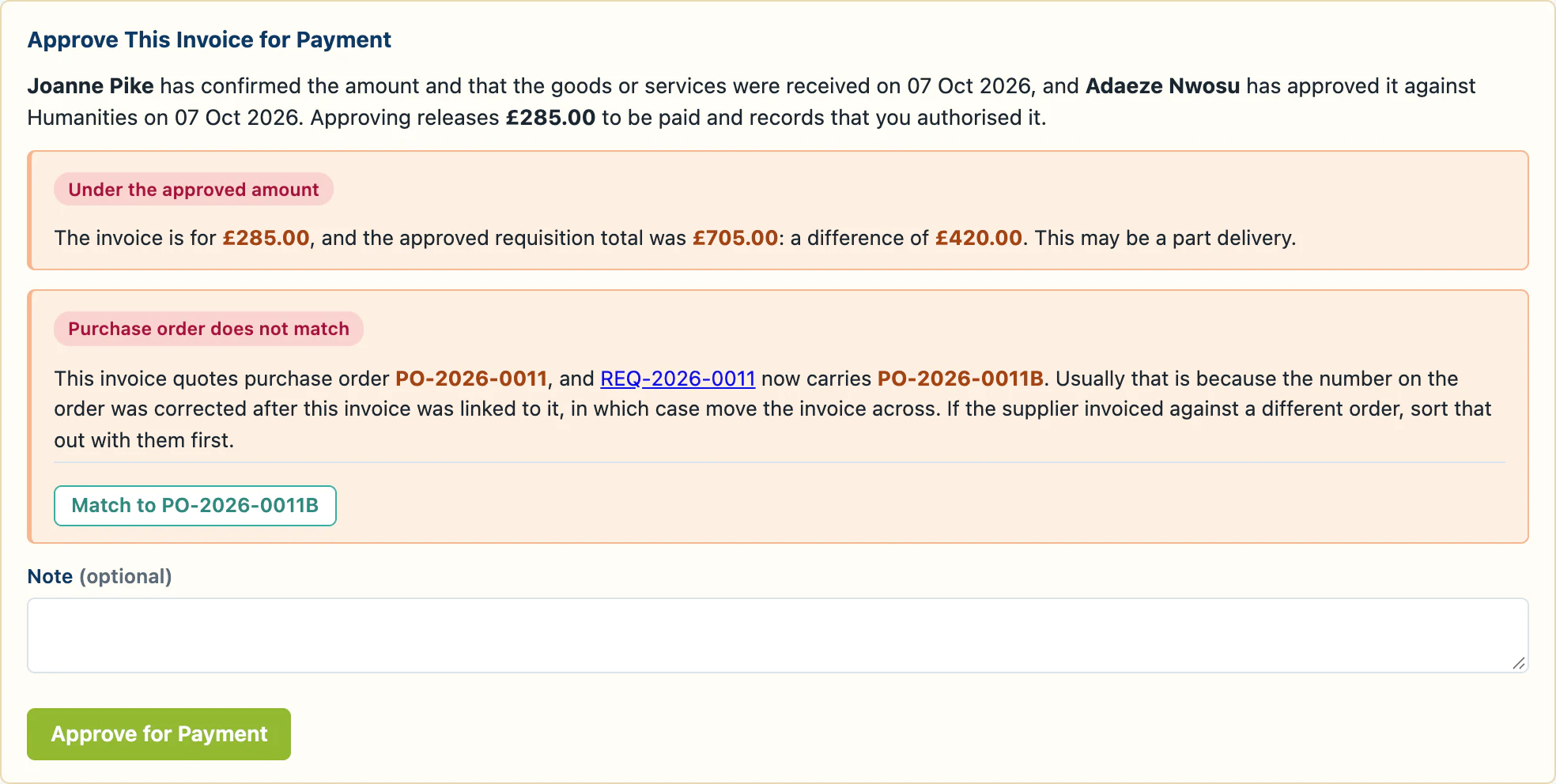
Who confirmed the delivery, who approved it against the budget, and anything that does not add up, all on the page where the payment is released.
INV-2026-0005 · part delivery · order number corrected

Invoices and Payments
Approved spend by school, by budget and by band, updated as decisions are made rather than when the paperwork catches up. Every invoice is matched to the order it belongs to, and nobody pays one until the right people have said so.
One Invoice, Start to Finish
The person who ordered it and the person who authorised the spend both check an invoice, and finance can see both before they release it.
Added against the purchase order it quotes, with the supplier's own document attached.
The person who ordered it confirms the amount, and that the goods arrived.
Whoever authorised the spend approves the invoice against their budget.
Finance release it for payment, then record the payment and its reference.
If an invoice differs from the approved total, everyone along the way is shown by how much.
Who confirmed the delivery, who approved it against the budget, and anything that does not add up, all on the page where the payment is released.
INV-2026-0005 · part delivery · order number corrected
When a purchase order number is corrected, any invoice still quoting the old one is flagged rather than quietly paid.
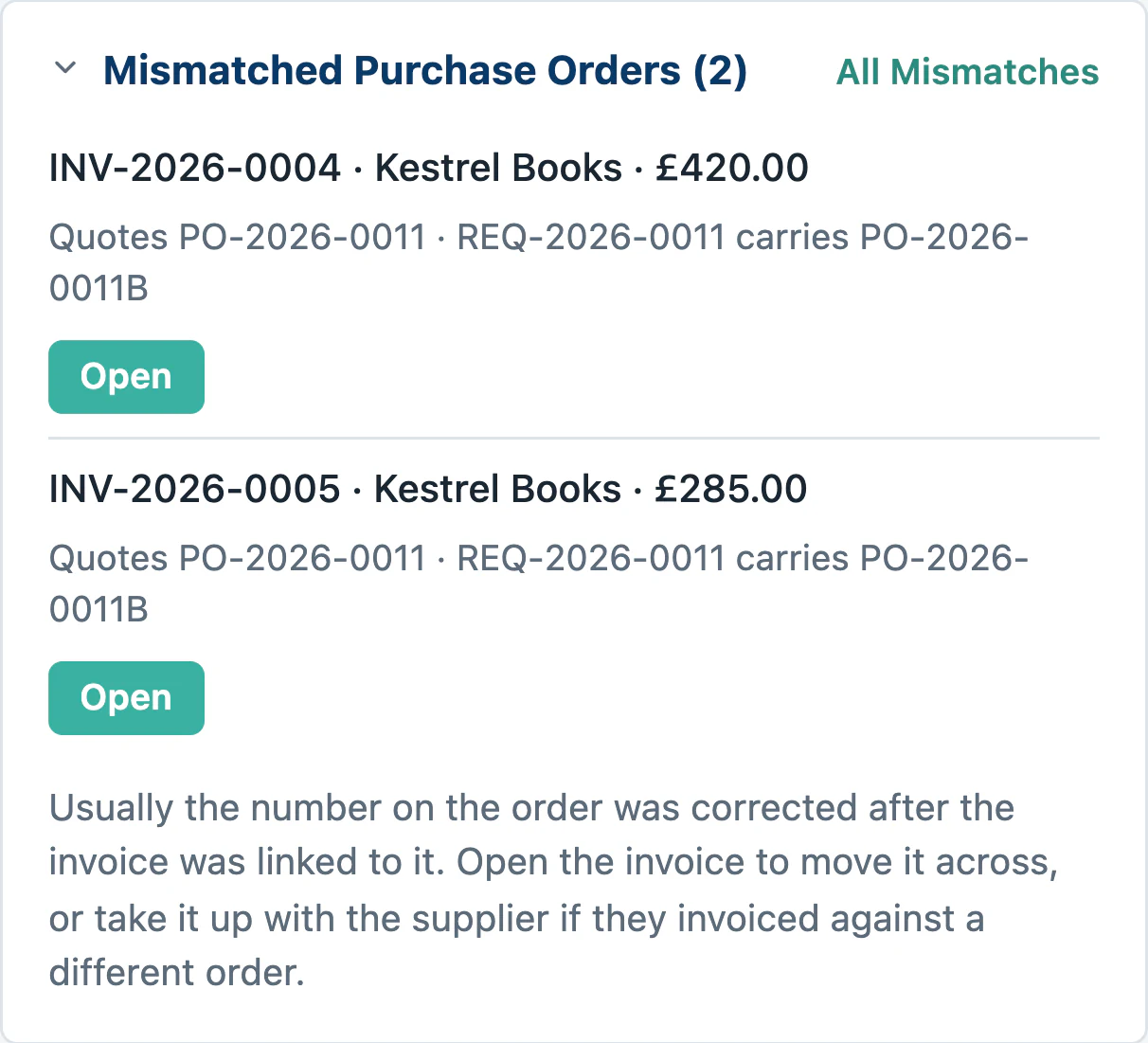
PO corrected · 2 invoices flagged
Staff claim back what they have already spent, with the receipt attached. A claim without a receipt says so, and the approver has to acknowledge it before approving.
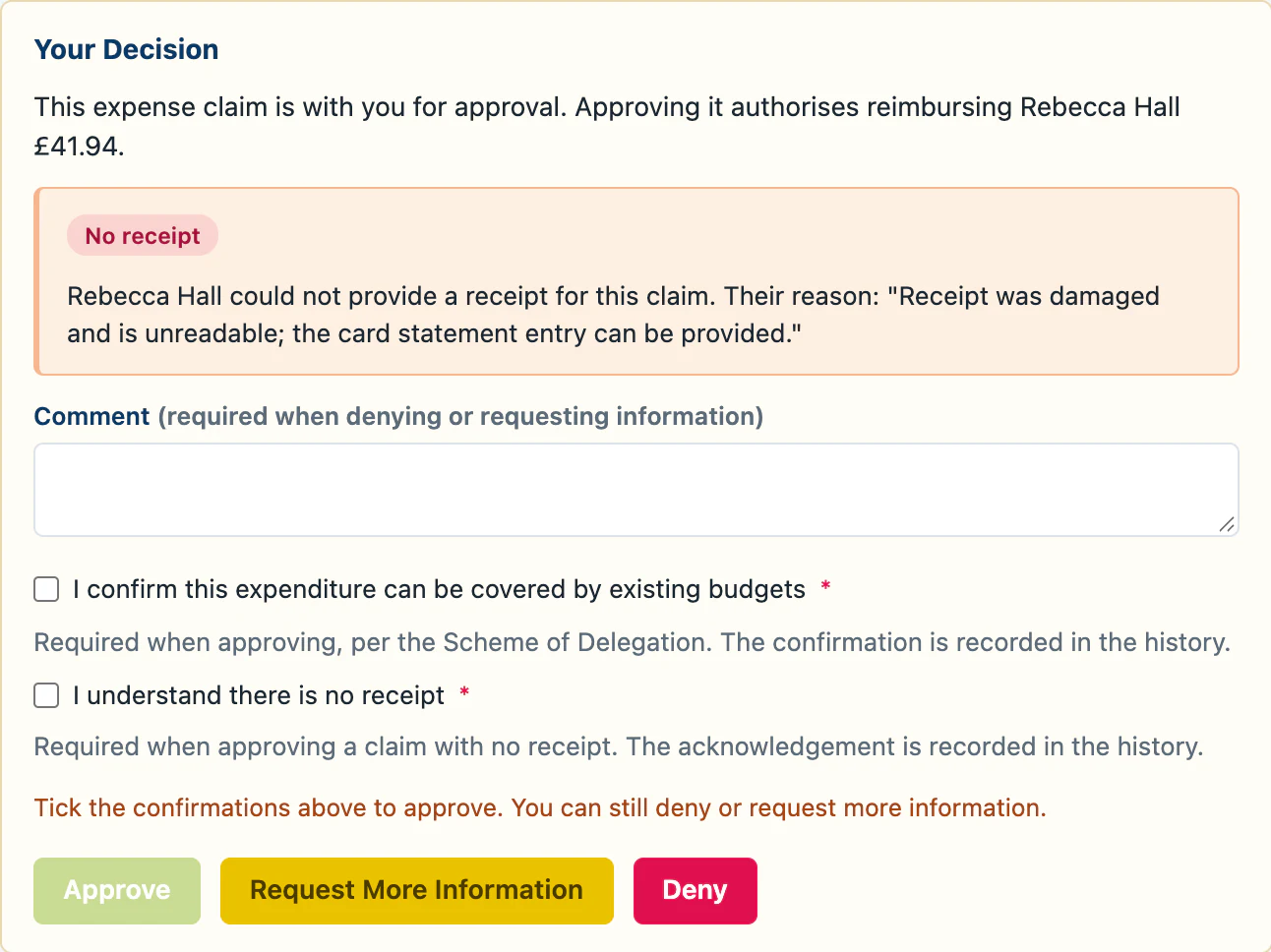
EXP-2026-0002 · no receipt · two confirmations
Also Included
Search it as you order, approve new suppliers, merge duplicates and see spend by supplier.
Numbered by Requestable, or carrying the number from your finance system, and produced as a document to send.
Exports to Excel, CSV and PDF, including the purchase orders themselves.
A demonstration is far more useful with your own schools, budgets and approval limits in front of you than with somebody else's. Send us an email, and we will set that up and walk you through it at a time that suits you.
Book a DemoOr just ask us a question at [email protected]. There is no sales team to get past.