
Stop chasing purchase approvals round your inbox.
Requestable is the purchase approval system for schools and academy trusts. Staff ask before they spend, the right people approve in the right order, and every decision is written down for you. No spreadsheets, no forwarding, nothing to reconstruct six months later. It works alongside the finance system you already have.
Built for UK trusts Follows your own approval limits Staff use the account they already have
Sound Familiar?
A £600 order takes six emails and nobody can find the quote.
Most trusts run purchasing on a form, a spreadsheet and a lot of goodwill. It holds together until somebody asks a question, and then the answer lives in four different inboxes.
A Form, a Spreadsheet and Email
- You chase the head for an approval you sent last Tuesday
- Nobody is sure who signed off what, or when
- You find out the money is committed when the invoice arrives
- Someone forgot the quotes were needed above £1,000
- The auditor asks, and you spend an afternoon scrolling
One Place, in Order
- It lands in the right person's list, and they can see it is waiting
- Every approval has a name and a time against it
- Committed spend shows the moment it is approved
- The form asks for the quotes your own rules require
- The auditor gets a spreadsheet, in about a minute
What It Does
Everything from asking to paying, without changing system halfway.
Requisitions, expense claims and supplier invoices in one place, so a purchase keeps its history all the way through.
Staff ask on a form that already knows your rules
They pick a supplier and a budget, add what they want to buy, and the form asks for exactly the evidence your policy requires at that value. Above your quote threshold, it asks for the quotes and will not accept the request without them.
No training day needed. If somebody can fill in an online form, they can do this.
The right people approve, in the right order
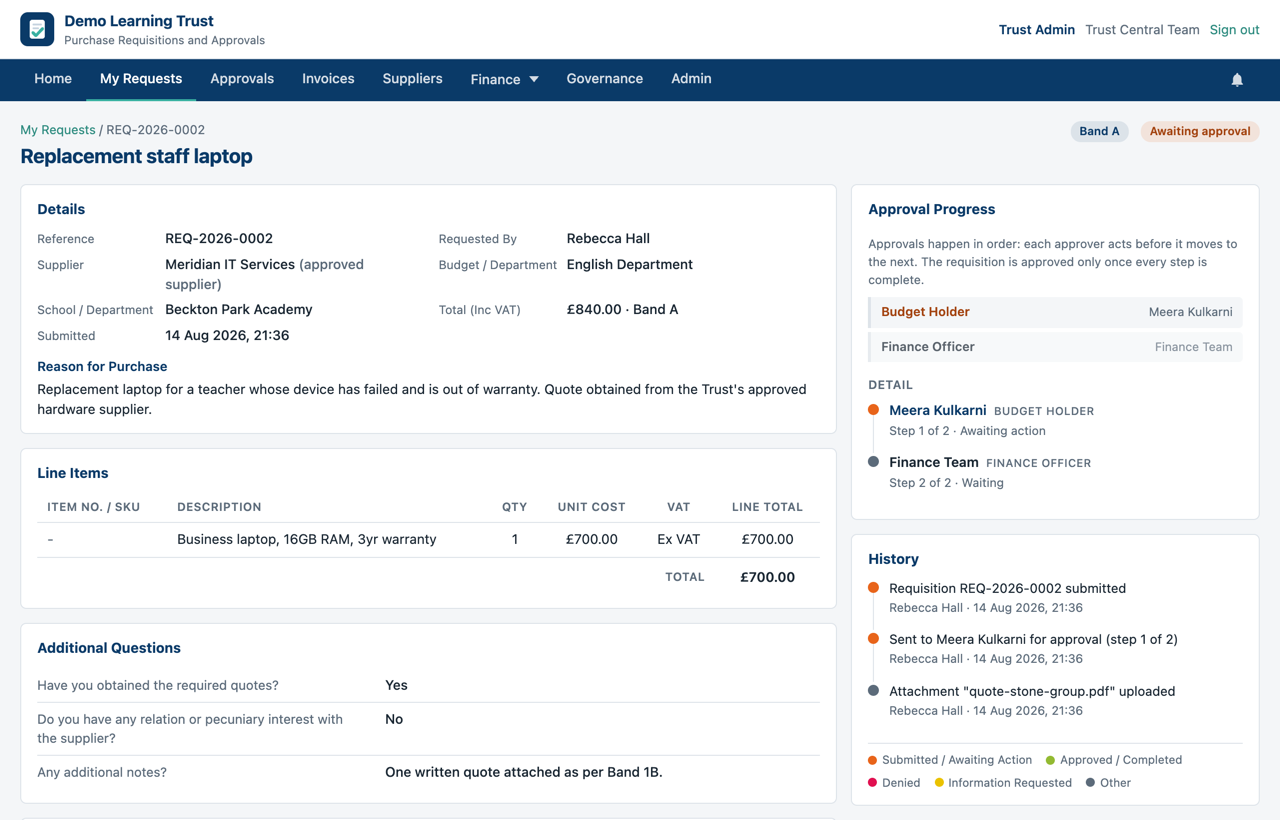
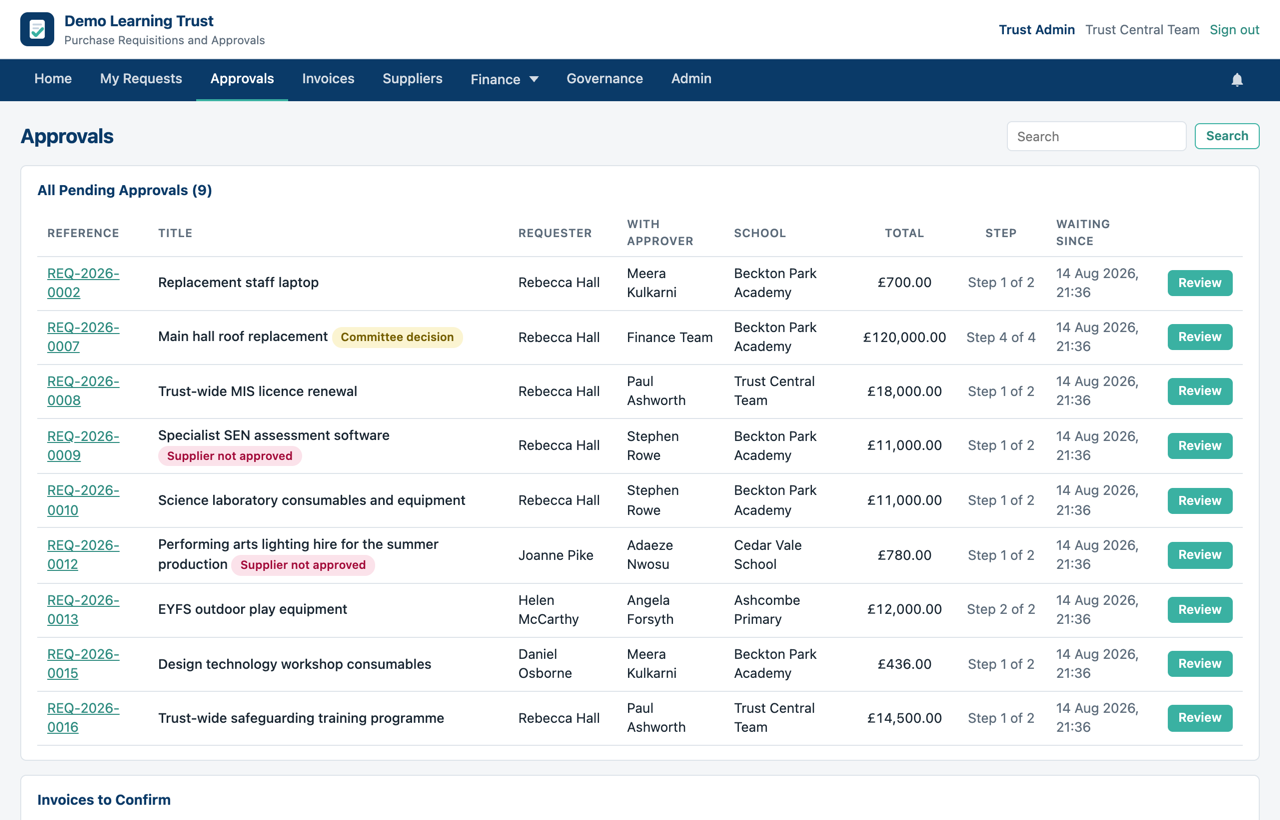
You tell Requestable your approval limits once. After that a £400 order and a £40,000 order go to different people automatically, and each approver sees only what is genuinely waiting for them.
Holidays are covered: name a deputy for a fortnight and the record still shows who actually approved it.
Every decision is written down, permanently
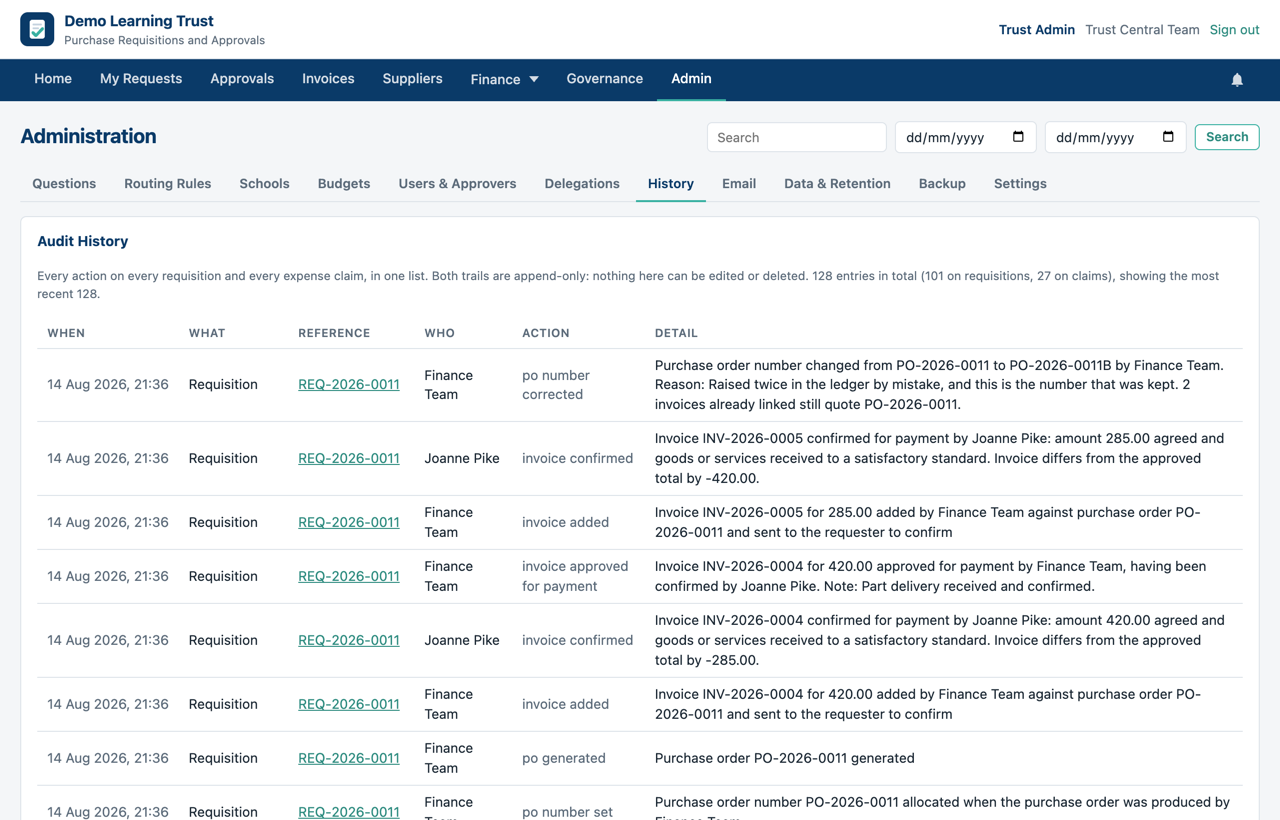
Who asked, who approved, who queried it, what changed and when. It is one searchable list, and nobody can edit or delete an entry afterwards, including us.
When your auditor asks how a purchase was authorised, you search a name or a date and hand over the answer.
You can see the money before the invoice lands
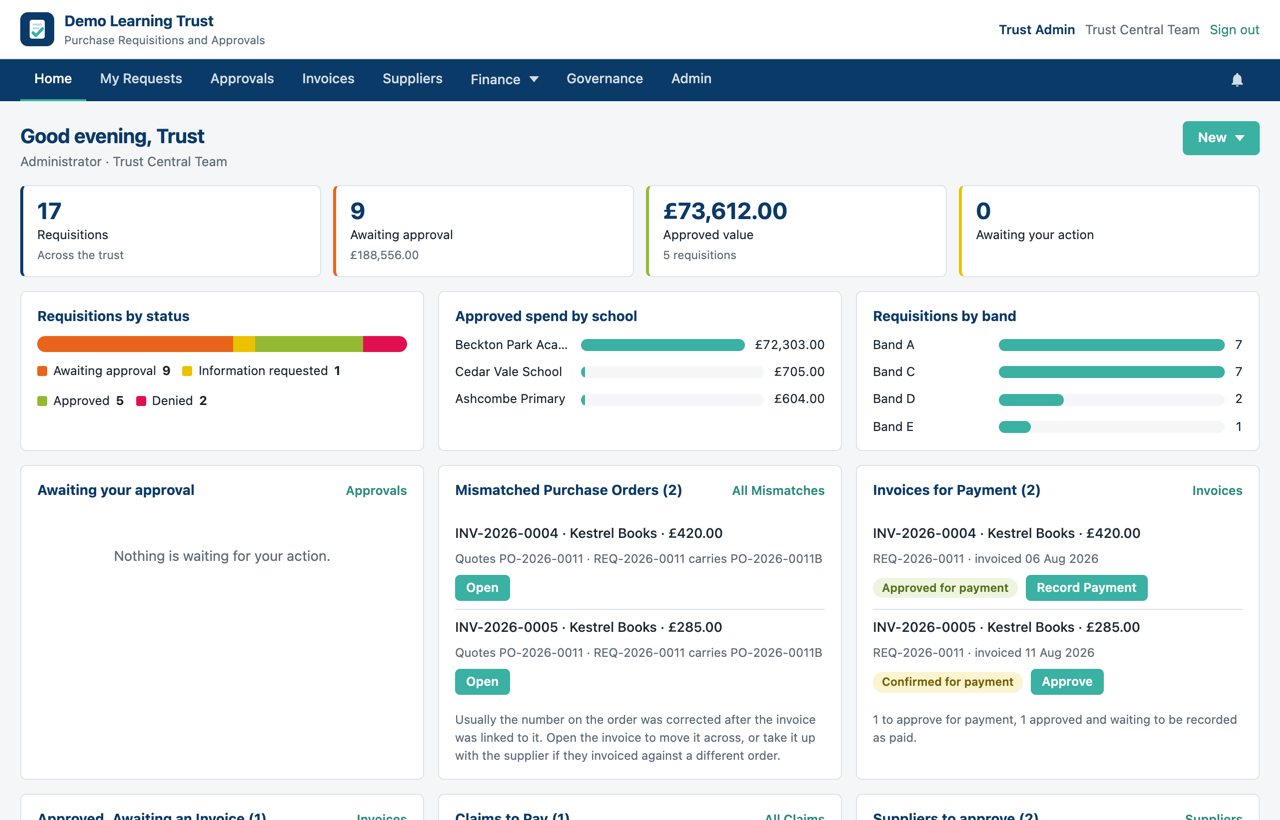
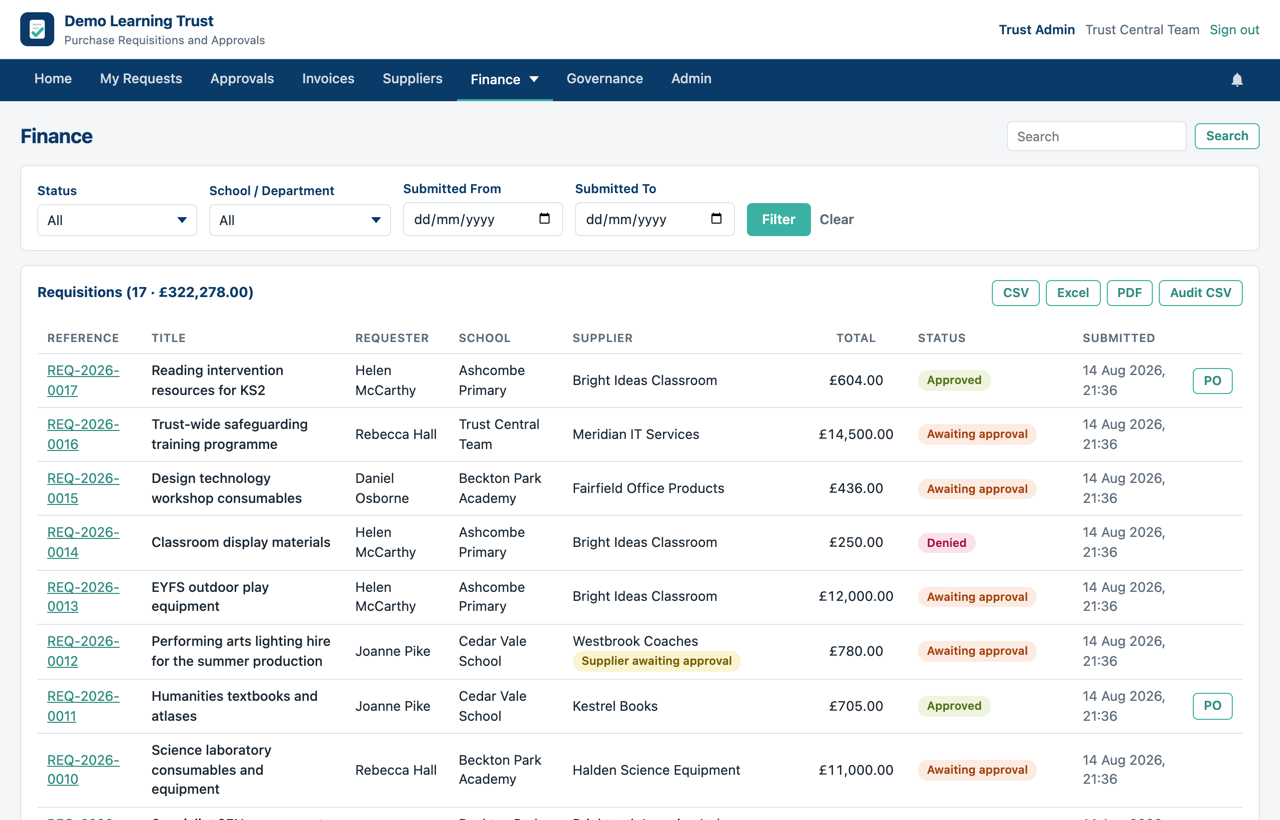
Approved spend by school, by budget and by band, updated as decisions are made rather than when the paperwork catches up. Expense claims and supplier invoices sit alongside it, with the invoice matched to the order it belongs to.
When a purchase order number gets corrected, any invoice still quoting the old one is flagged rather than quietly paid.
Why It Helps
It gives you back the two things you never have enough of.
Time, and a straight answer.
No More Chasing
Approvers see what is waiting without being reminded, and you can see where anything has got to without asking anybody.
The Evidence, Built as You Go
The trail is assembled as decisions happen, not reconstructed in October. When your auditor asks how something was authorised, the answer is a search rather than an afternoon. Exports to Excel, CSV and PDF, including the purchase orders themselves.
Your Policy, Applied Quietly
Quote thresholds, approval limits and the committee items that need reporting all follow the Scheme of Delegation your trustees already approved.
Nothing Lost by Accident
Anything deleted goes to a bin for six weeks and comes back in full. Every requisition, approval and decision is copied overnight, and once a week one of those copies is restored and checked, so the backups are known to work rather than assumed to.
It fits around your finance system rather than competing with it. PS Financials, Sage, Xero or whatever you run stays your system of record. Requestable takes care of everything that happens before the commitment, then hands your finance team an approved order with the authorisation already attached to it. Nothing to migrate, nothing to switch off, and no argument about which system is right.

See It With Your Own Numbers
A demonstration is far more useful with your own schools, budgets and approval limits in front of you than with somebody else's. Send us an email, and we will set that up and walk you through it at a time that suits you.
Book a DemoOr just ask us a question at [email protected]. There is no sales team to get past.